Skip table of contents

Frequently asked questions

📲 I am unable to log in to the Hume app. What should I do?

🛜 Always make sure there is an internet connection.

Error

Solution

1

User does not exist.

This user does not exist, or the password is incorrect.

(1) Type the temporary password manually. Copy-paste does not work.

(2) - Check for typos in the email address or password.

(3) - Forgot your password? Choose ‘Forgot password’ to reset it.g

(4) - No email received? The account probably does not exist — contact Mentech.

2

User pool client1 does not exist.

User ID does not exist.

Check for typos in the organisation name.

3

User srp auth.

 Contact Mentech.

4

Something went wrong while loading your clients.

 Contact Mentech.

5

Something went wrong while loading your account.

  • Check if there is internet (4G symbol visible). Open Google Chrome to test this. No connection? Contact Mentech.

  • Use only an Android phone (usually included in the Mentech HUME kit). Measurements will NOT work on an iPhone.

▶️ How can I start a measurement with Hume?

Only use an Android phone (usually included in the Mentech Hume kit). Starting measurements does NOT work on an iPhone.

For a more detailed step-by-step explanation, read Measurement - before, during and after. Here is the summary:

  • Check if the LED light on the Senti-module is blinking blue.
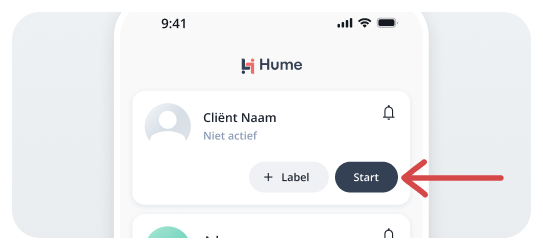
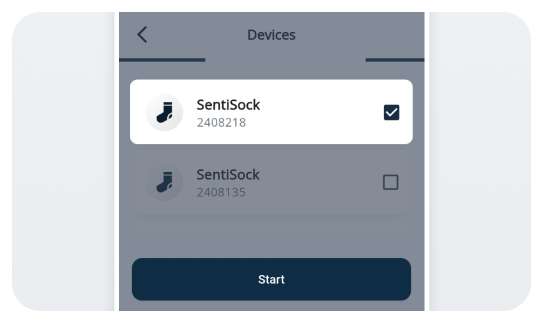
  • Open the HUME app on the hub phone and log in. Press ‘Start’ next to the client’s name.

start.png
  • Select the Senti-module with the correct ID number and press ‘Start’.

connect.png
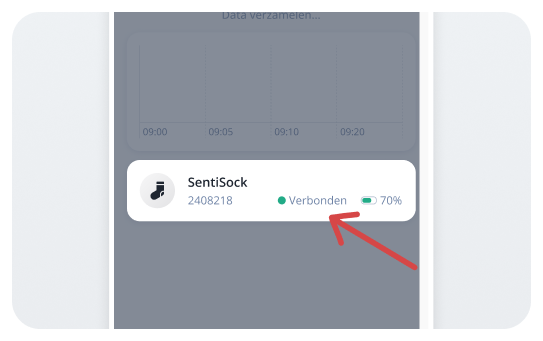
  • The LED on the sensor will blink green once connected. Check the app for ‘connected’.

connected senti.png

🌈 The sensor flashes a colour. What does this mean?

Colour Senti Module light

Meaning

 ⚪ White (single flash)

Sensor turning on (movement activated)

🔵 Blue blinking

Ready to be found via Bluetooth

🟢 Green blinking

Connected

🔴 Red blinking

Battery low – charge the Senti-module

🔴 Red solid

Charging

🟢 Green solid

Fully charged

🔴 Red + ⚪ White blinking

Hardware issue – contact Mentech

🚦Why can't I see my stress prediction?

Wait 5 minutes 

The first stress prediction can take time. This is normal.


🛠️ Still no prediction after 5 minutes? Check:

  • Is the Senti-module correctly connected to the SentiSock?

  • Is the SentiSock fitted properly on the foot?

  • Is there internet on both the group phone and the hub phone?

  • Is the HUME app up to date (update via Google Play Store / App Store)?

  • Does the sensor ID on the device match the ID in the HUME app?

    • If not, the phone is connected to the wrong sensor.


🔁 Still no prediction?

Replace the SentiSock and try again.

🚦Why do the traffic light colours NOT correspond to the client's stress level?
  • HUME measures physical signals that are not (always) visible. Although the client may appear calm, he or she may still be building up tension, or vice versa.

  • HUME does not distinguish between positive and negative tension.

😓 The client is bothered by the sensors. What can I do?

Questions about care?

Ask the behavioural scientist.

 Client resists HUME measurement or wearing the sock/sensor?

  • 📞 Discuss with the behavioural scientist or psychologist.

  • 📞 Inform Mentech.

Skin problems from the strap or sensor:

  • Check if the strap is too tight.

It should fit like a watch — snug but not painful.

  • A longer strap can be ordered via Mentech.

Skin defects (wounds, irritation):

  • Contact the attending physician.

  • ⛔ Stop measurements.

  • 📞 Inform Mentech.

📦 How can I order new socks?

1

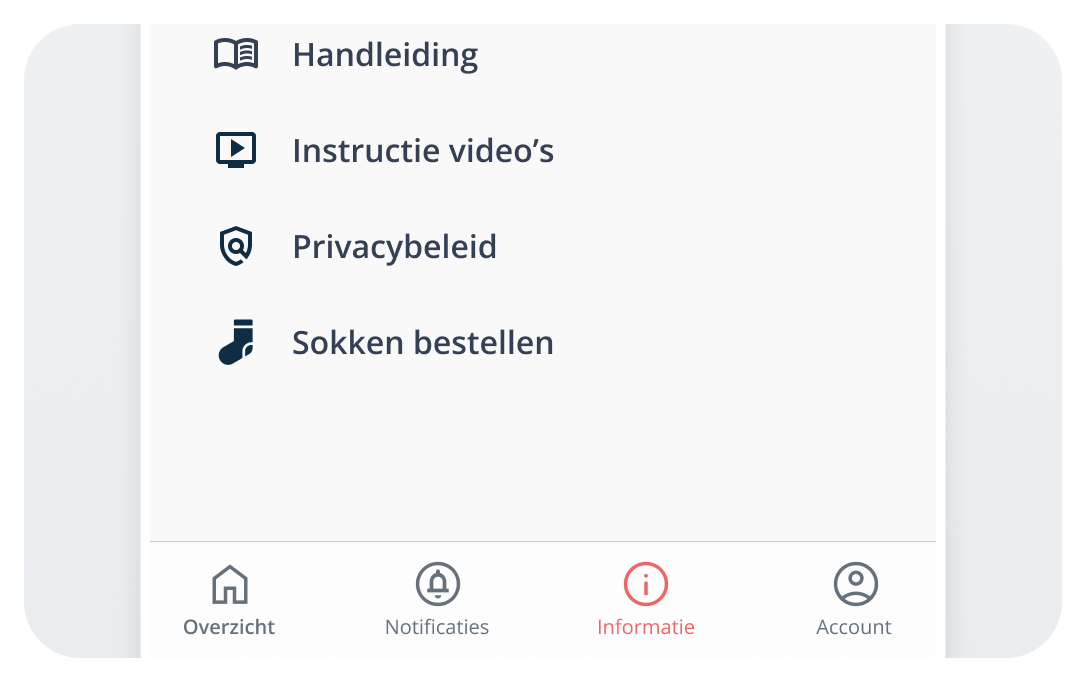
In the HUME app, click ‘Information’‘Order socks’.

order1.png

2

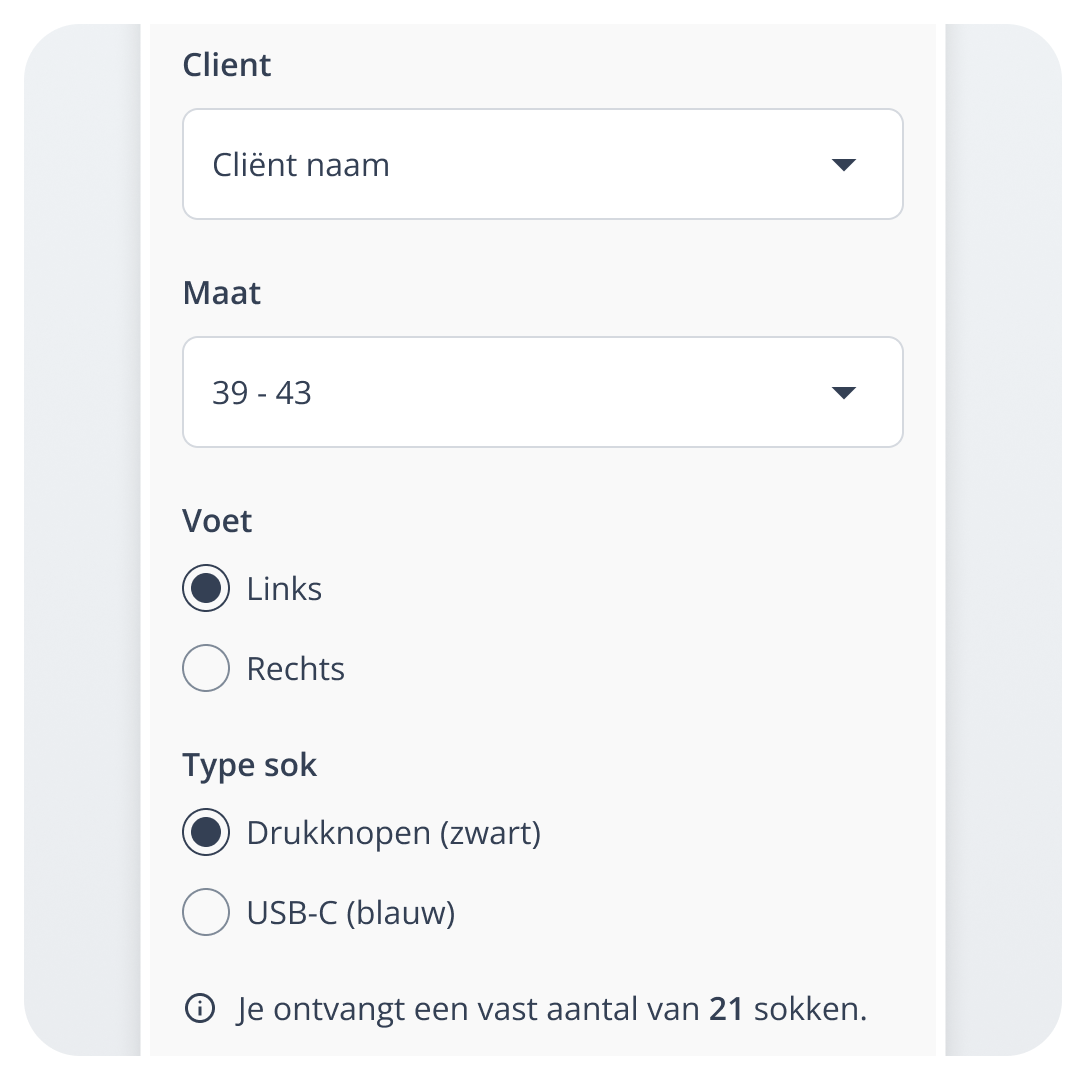
Fill in the form and click ‘Order’.

order2.png

3.1

Change the order? Click ‘Edit’.

order3.png

3.2

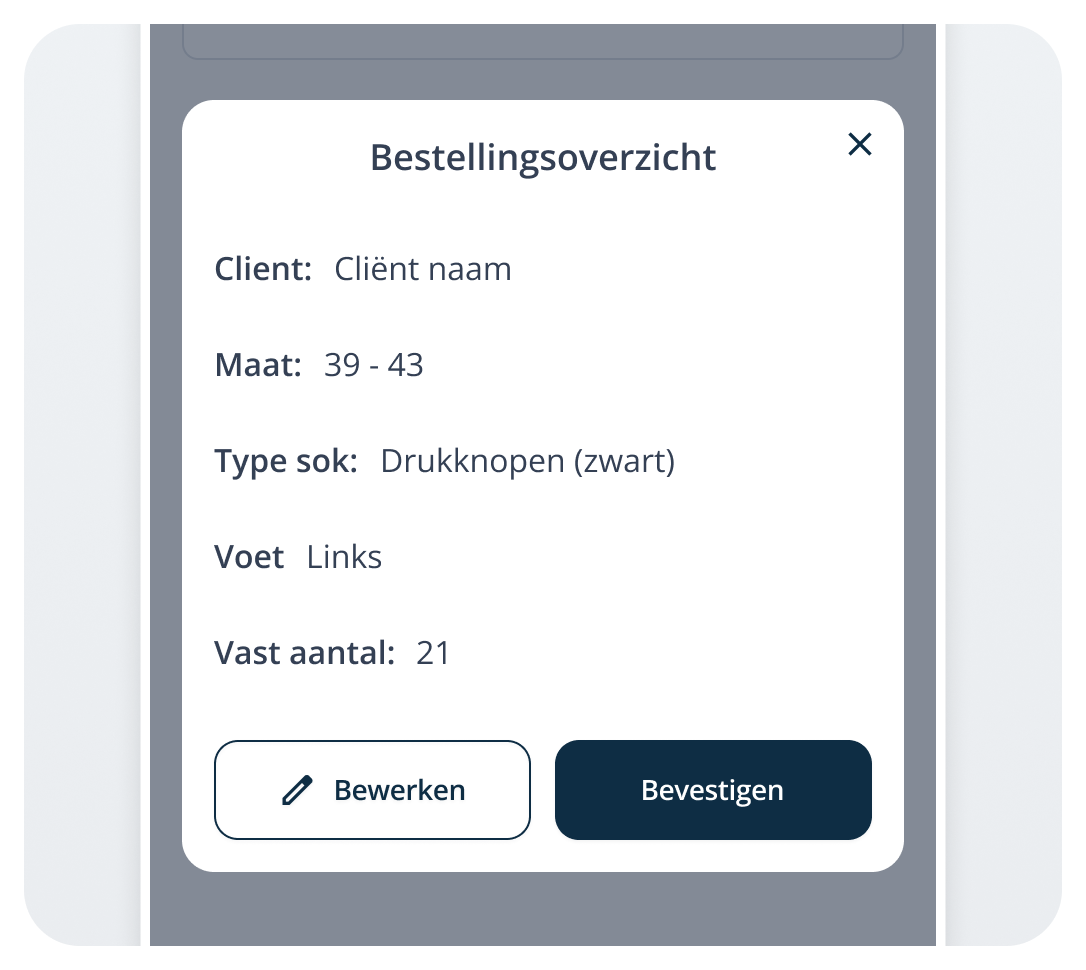
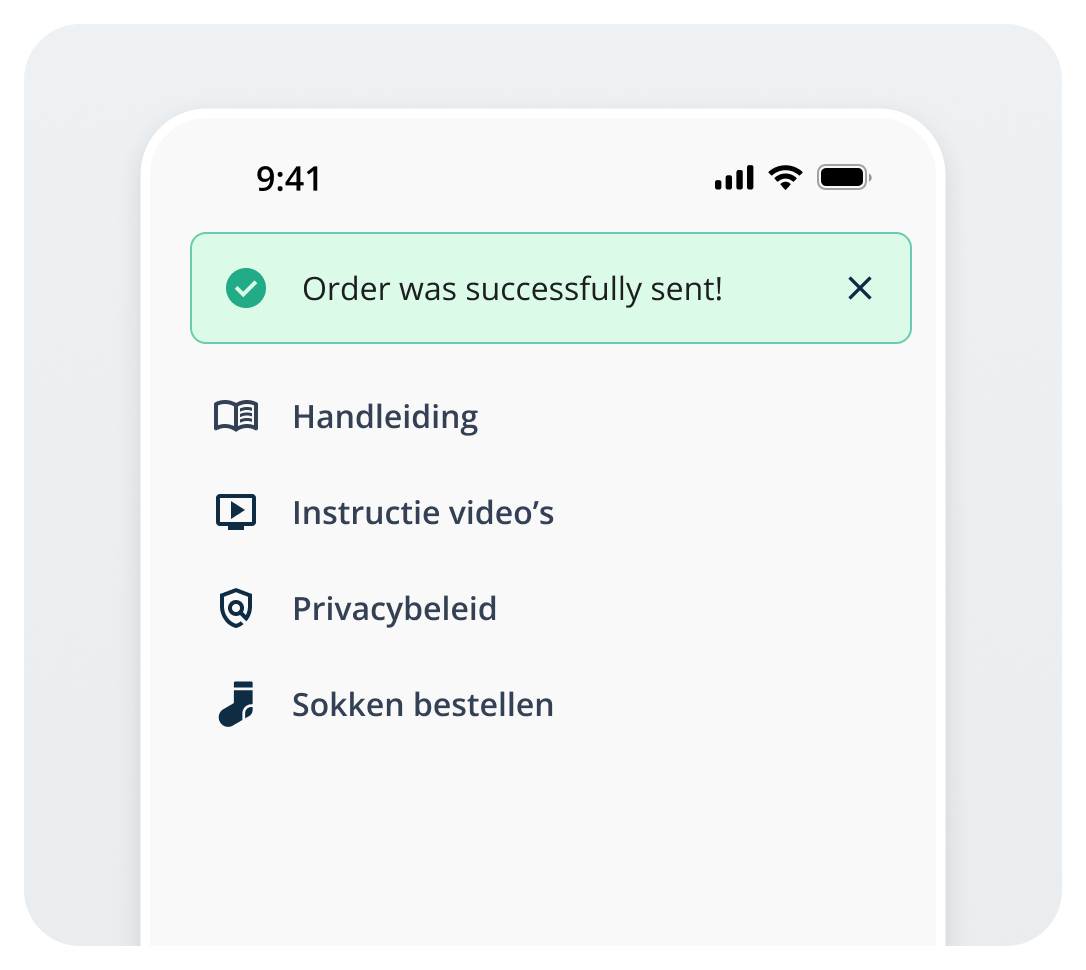
Finished? Click ‘Confirm’ → You will see ‘Order successfully sent!’.
order4.png
🧦 What is the correct way to put a sock on a client?
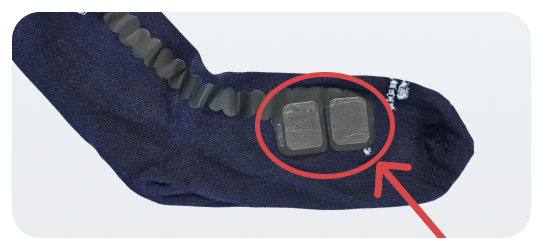
  • Turn the SentiSock inside out. Apply a thin layer of HUME gel on the two black squares. Turn the sock back.

insideout.png
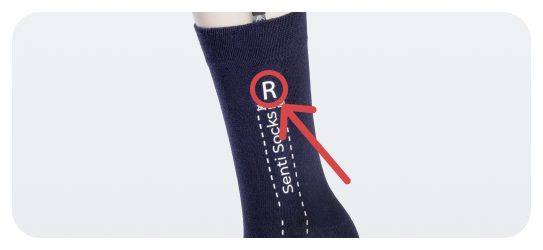
  • Put the SentiSock on the correct foot (Left L / Right R).

Make sure it fits straight and the white pads touch the skin.
rightsok.png
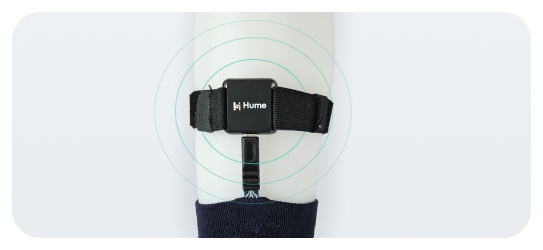
  • Attach the Senti-module firmly with the strap and connect the cable.

    kabeltje.png
🧠 Is e-learning available?

Yes, the following e-learning is available (only in Dutch):

E-learning HUME (versie SentiSock)


Problem not solved? Contact Mentech:

🕑 8:30 AM – 5:00 PM

🗓️ Monday to Friday

📪 support@mentechinnovation.eu

📞 040 2094110 (also on WhatsApp)


*In the evenings, weekends, and public holidays, an on-call service is available for emergencies.


JavaScript errors detected

Please note, these errors can depend on your browser setup.

If this problem persists, please contact our support.