
Order new socks
1 | In the HUME app, click ‘Information’ → ‘Order socks’. 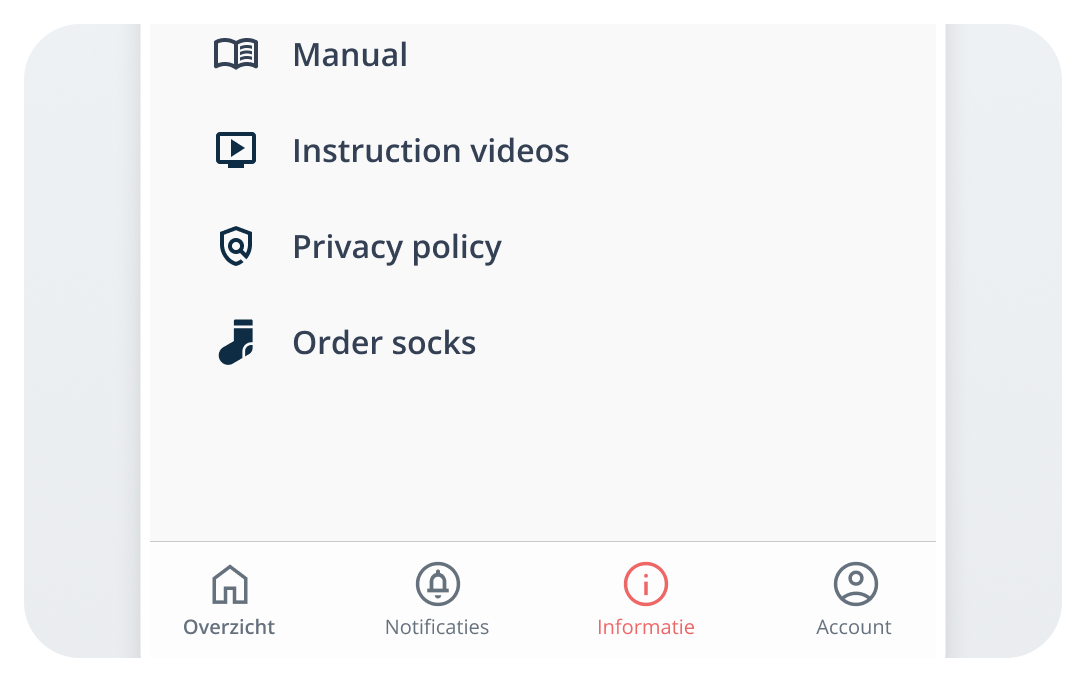 |
2 | Fill in the form and click ‘Order’. 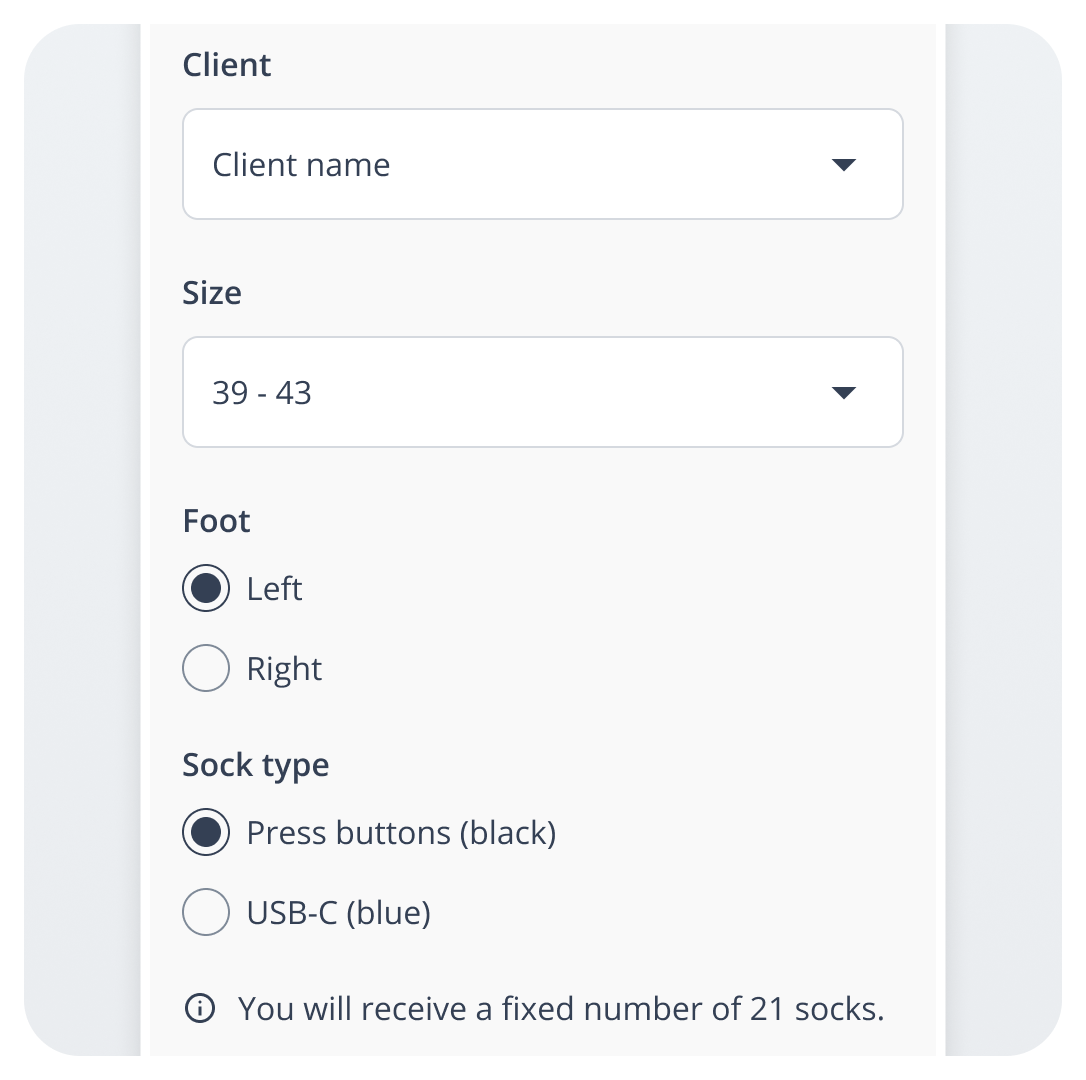 |
3.1 | Change the order? Click ‘Edit’. 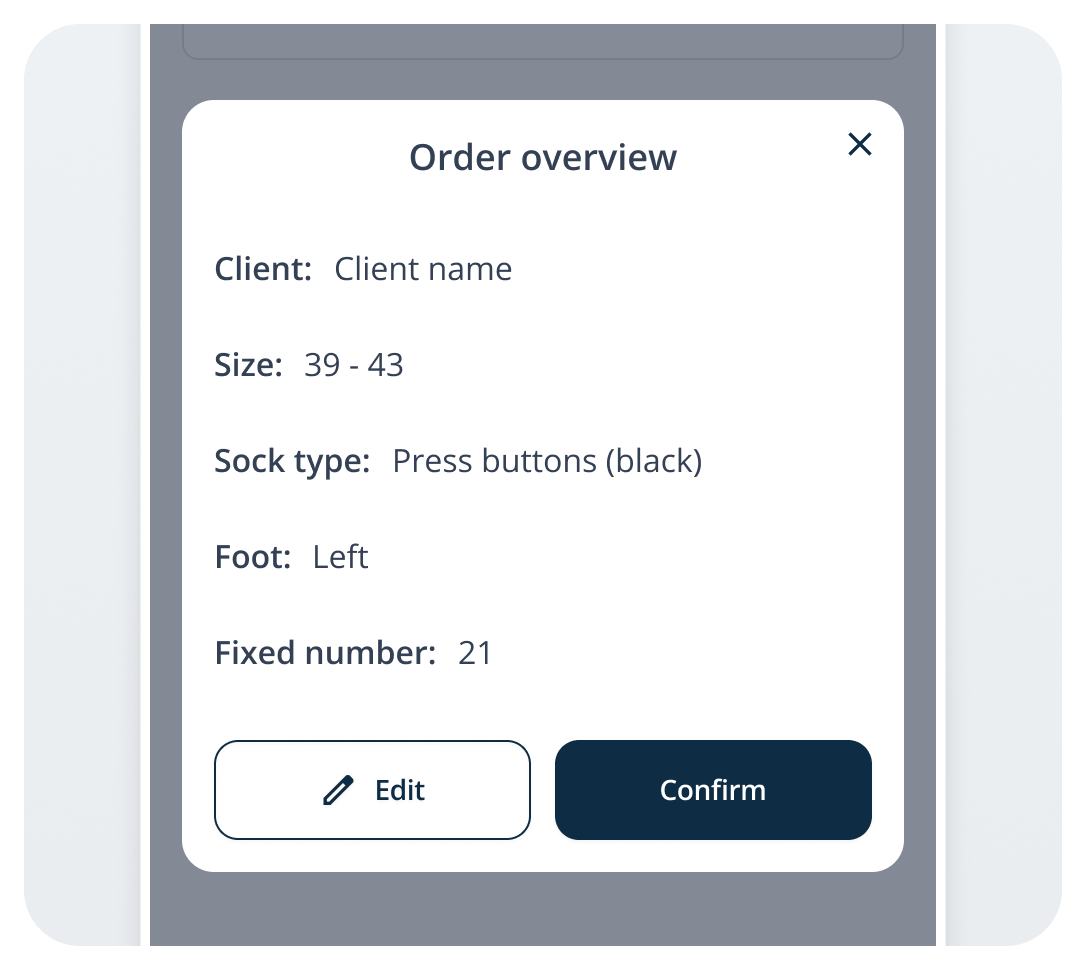 |
3.2 | Finished? Click ‘Confirm’ → You will see ‘Order successfully sent!’. 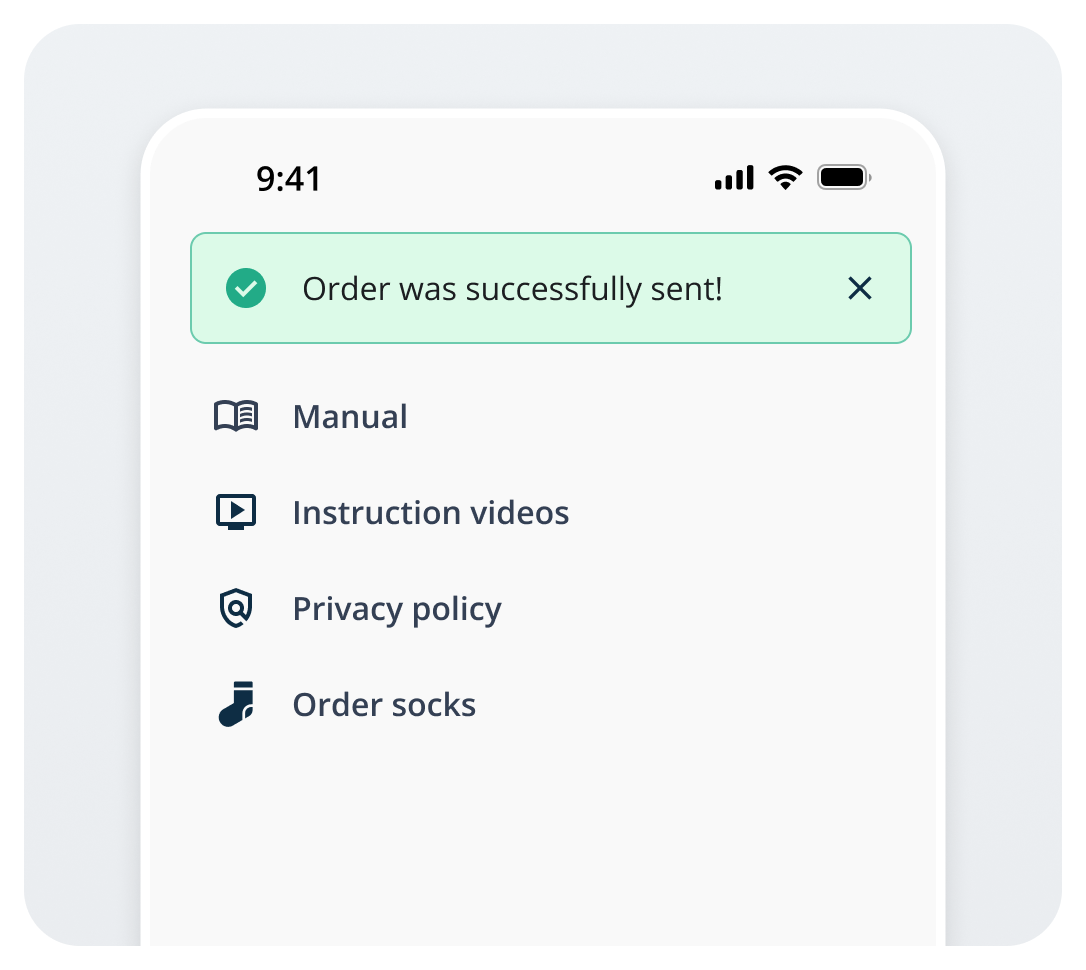 |
1 | In the HUME app, click ‘Information’ → ‘Order socks’. |
2 | Fill in the form and click ‘Order’. |
3.1 | Change the order? Click ‘Edit’. |
3.2 | Finished? Click ‘Confirm’ → You will see ‘Order successfully sent!’. |